
Battery
-
10400mah BU-65 Replacement Battery for Sumitomo TYPE-37 TYPE-37SE TYP-65 TYPE-65
The 10400mah Sumitomo BU-65 Capacitors Battery is specially designed as a high-quality replacement battery for Sumitomo TYPE-37 TYPE-37SE TYP-65 TYPE-65. With stable performance, long-lasting power capacity, and excellent compatibility, this Sumitomo BU-65 battery helps restore your equipment’s mobility and extends its daily working time. It is an ideal choice for users who need to replace an aging or damaged battery while keeping their Sumitomo TYPE-37 TYPE-37SE TYP-65 TYPE-65 running efficiently.
10400mah BU-65 Replacement Battery for Sumitomo TYPE-37 TYPE-37SE TYP-65 TYPE-65
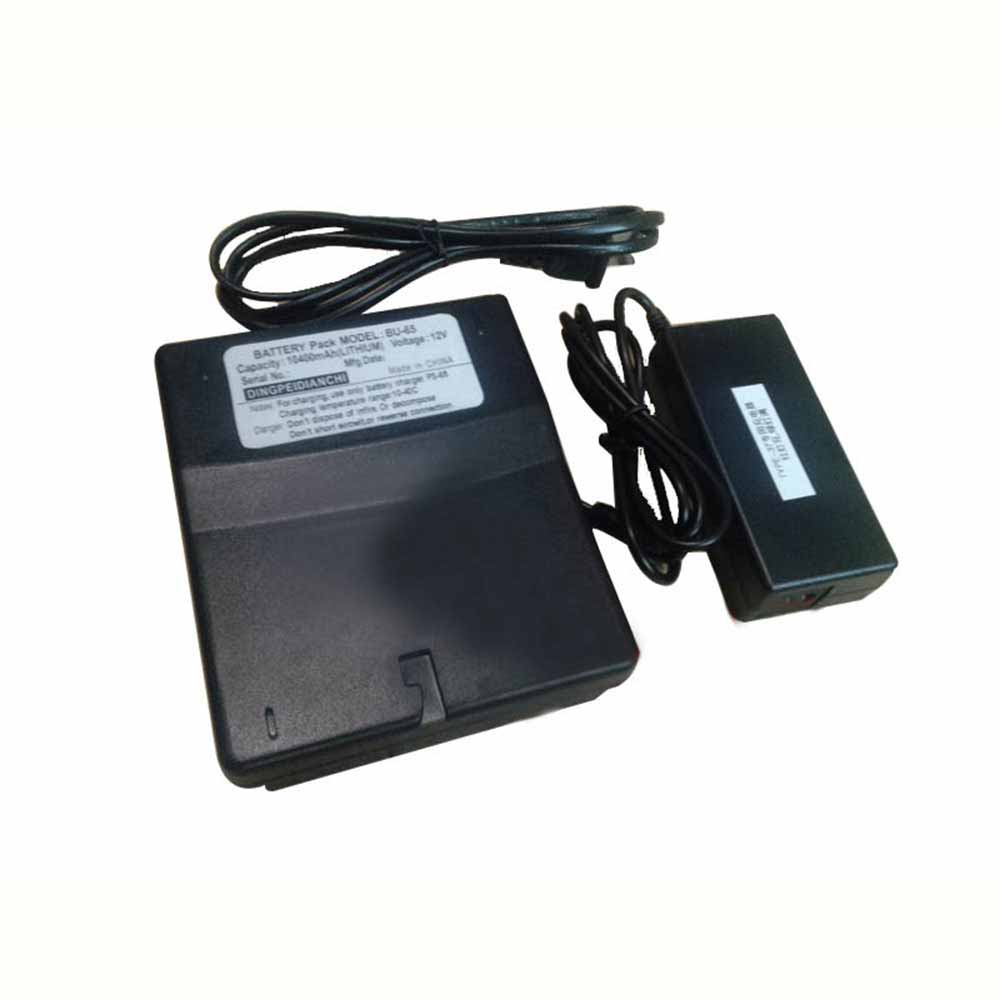 Product SpecificationsBrand: Capacitors Battery for SumitomoBattery Type: Li-ionBattery Voltage: 12VBattery Capacity: 10400mahWarranty: 30 Days Money Back, 1 Year Warranty.Over 500-800 times of charge and discharge.Compatible Part Numbers:BU-65Compatible Models:Sumitomo TYPE-37 TYPE-37SE TYP-65 TYPE-65Important Usage Tips and Safety PrecautionsFor safe and effective operation of the 10400mah Sumitomo BU-65 Capacitors Battery for Sumitomo TYPE-37 TYPE-37SE TYP-65 TYPE-65, please consider the following precautions:Do not expose the battery to water, moisture, or extreme heat.Do not disassemble, modify, or damage the battery, as this may cause safety risks.Avoid using damaged charging cables or incompatible adapters.If the Sumitomo BU-65 battery becomes swollen, overheated, or shows unusual performance, stop using it immediately and seek professional assistance.Allow the Sumitomo BU-65 battery to complete several normal charge and discharge cycles after installation to help achieve optimal performance. A Reliable Power Solution for Your Sumitomo TYPE-37 TYPE-37SE TYP-65 TYPE-65.How to Properly Maintain Your Sumitomo BU-65 Capacitors BatteryTo maximize the lifespan and performance of your Sumitomo BU-65 Capacitors Battery, following proper maintenance habits is important:Avoid frequent full discharge: Try to recharge the battery before it completely runs out of power. Keeping the Sumitomo BU-65 battery level between approximately 20% and 80% can help reduce battery stress.Use the correct charger: Always use a compatible charger with the correct voltage and specifications to ensure safe and efficient charging.Keep the battery temperature controlled: Excessive heat can affect Sumitomo BU-65 battery performance and lifespan. Avoid using your equipment on soft surfaces that block ventilation, and keep the device away from high-temperature environments.Charge regularly during storage: If you do not use your equipment for an extended period, charge the battery to around 40%-60% and store it in a cool, dry place.Maintain clean connections: Keep the Sumitomo BU-65 battery contacts and equipment interior free from dust to ensure stable power transmission.A Reliable Power Solution for Your Sumitomo TYPE-37 TYPE-37SE TYP-65 TYPE-65The 10400mah Sumitomo BU-65 Capacitors Battery for Sumitomo TYPE-37 TYPE-37SE TYP-65 TYPE-65 combines dependable power, convenient installation, and long-term usability. With proper care and responsible usage, this replacement battery can help extend your laptop’s service life and provide a more stable mobile computing experience.Choose a quality replacement battery for Sumitomo BU-65 to bring your Sumitomo TYPE-37 TYPE-37SE TYP-65 TYPE-65 back to its full potential and enjoy reliable performance wherever you go.
PR
-
5200mAh PH18650-6 Replacement Battery for Ezviz EP3X
The 5200mAh Ezviz PH18650-6 Video Doorbell Battery is specially designed as a high-quality replacement battery for Ezviz EP3X. With stable performance, long-lasting power capacity, and excellent compatibility, this Ezviz PH18650-6 battery helps restore your equipment’s mobility and extends its daily working time. It is an ideal choice for users who need to replace an aging or damaged battery while keeping their Ezviz EP3X running efficiently.
5200mAh PH18650-6 Replacement Battery for Ezviz EP3X
.jpg) Product SpecificationsBrand: Video Doorbell Battery for EzvizBattery Type: Li-ionBattery Voltage: 3.65VBattery Capacity: 5200mAhWarranty: 30 Days Money Back, 1 Year Warranty.Over 500-800 times of charge and discharge.Compatible Part Numbers:PH18650-6Compatible Models:for Ezviz EP3XImportant Usage Tips and Safety PrecautionsFor safe and effective operation of the 5200mAh Ezviz PH18650-6 Video Doorbell Battery for Ezviz EP3X, please consider the following precautions:Do not expose the battery to water, moisture, or extreme heat.Do not disassemble, modify, or damage the battery, as this may cause safety risks.Avoid using damaged charging cables or incompatible adapters.If the Ezviz PH18650-6 battery becomes swollen, overheated, or shows unusual performance, stop using it immediately and seek professional assistance.Allow the Ezviz PH18650-6 battery to complete several normal charge and discharge cycles after installation to help achieve optimal performance. A Reliable Power Solution for Your Ezviz EP3X.How to Properly Maintain Your Ezviz PH18650-6 Video Doorbell BatteryTo maximize the lifespan and performance of your Ezviz PH18650-6 Video Doorbell Battery, following proper maintenance habits is important:Avoid frequent full discharge: Try to recharge the battery before it completely runs out of power. Keeping the Ezviz PH18650-6 battery level between approximately 20% and 80% can help reduce battery stress.Use the correct charger: Always use a compatible charger with the correct voltage and specifications to ensure safe and efficient charging.Keep the battery temperature controlled: Excessive heat can affect Ezviz PH18650-6 battery performance and lifespan. Avoid using your equipment on soft surfaces that block ventilation, and keep the device away from high-temperature environments.Charge regularly during storage: If you do not use your equipment for an extended period, charge the battery to around 40%-60% and store it in a cool, dry place.Maintain clean connections: Keep the Ezviz PH18650-6 battery contacts and equipment interior free from dust to ensure stable power transmission.A Reliable Power Solution for Your Ezviz EP3XThe 5200mAh Ezviz PH18650-6 Video Doorbell Battery for Ezviz EP3X combines dependable power, convenient installation, and long-term usability. With proper care and responsible usage, this replacement battery can help extend your laptop’s service life and provide a more stable mobile computing experience.Choose a quality replacement battery for Ezviz PH18650-6 to bring your Ezviz EP3X back to its full potential and enjoy reliable performance wherever you go.
Product SpecificationsBrand: Video Doorbell Battery for EzvizBattery Type: Li-ionBattery Voltage: 3.65VBattery Capacity: 5200mAhWarranty: 30 Days Money Back, 1 Year Warranty.Over 500-800 times of charge and discharge.Compatible Part Numbers:PH18650-6Compatible Models:for Ezviz EP3XImportant Usage Tips and Safety PrecautionsFor safe and effective operation of the 5200mAh Ezviz PH18650-6 Video Doorbell Battery for Ezviz EP3X, please consider the following precautions:Do not expose the battery to water, moisture, or extreme heat.Do not disassemble, modify, or damage the battery, as this may cause safety risks.Avoid using damaged charging cables or incompatible adapters.If the Ezviz PH18650-6 battery becomes swollen, overheated, or shows unusual performance, stop using it immediately and seek professional assistance.Allow the Ezviz PH18650-6 battery to complete several normal charge and discharge cycles after installation to help achieve optimal performance. A Reliable Power Solution for Your Ezviz EP3X.How to Properly Maintain Your Ezviz PH18650-6 Video Doorbell BatteryTo maximize the lifespan and performance of your Ezviz PH18650-6 Video Doorbell Battery, following proper maintenance habits is important:Avoid frequent full discharge: Try to recharge the battery before it completely runs out of power. Keeping the Ezviz PH18650-6 battery level between approximately 20% and 80% can help reduce battery stress.Use the correct charger: Always use a compatible charger with the correct voltage and specifications to ensure safe and efficient charging.Keep the battery temperature controlled: Excessive heat can affect Ezviz PH18650-6 battery performance and lifespan. Avoid using your equipment on soft surfaces that block ventilation, and keep the device away from high-temperature environments.Charge regularly during storage: If you do not use your equipment for an extended period, charge the battery to around 40%-60% and store it in a cool, dry place.Maintain clean connections: Keep the Ezviz PH18650-6 battery contacts and equipment interior free from dust to ensure stable power transmission.A Reliable Power Solution for Your Ezviz EP3XThe 5200mAh Ezviz PH18650-6 Video Doorbell Battery for Ezviz EP3X combines dependable power, convenient installation, and long-term usability. With proper care and responsible usage, this replacement battery can help extend your laptop’s service life and provide a more stable mobile computing experience.Choose a quality replacement battery for Ezviz PH18650-6 to bring your Ezviz EP3X back to its full potential and enjoy reliable performance wherever you go.
-
1500mAh/5.7WH 58-000271 Replacement Battery for Amazon Kindle PaperWhite4 2018
The 1500mAh/5.7WH Amazon Kindle 58-000271 Tablet Battery is specially designed as a high-quality replacement battery for Amazon Kindle PaperWhite4 2018. With stable performance, long-lasting power capacity, and excellent compatibility, this Amazon Kindle 58-000271 battery helps restore your equipment’s mobility and extends its daily working time. It is an ideal choice for users who need to replace an aging or damaged battery while keeping their Amazon Kindle PaperWhite4 2018 running efficiently.
1500mAh/5.7WH 58-000271 Replacement Battery for Amazon Kindle PaperWhite4 2018
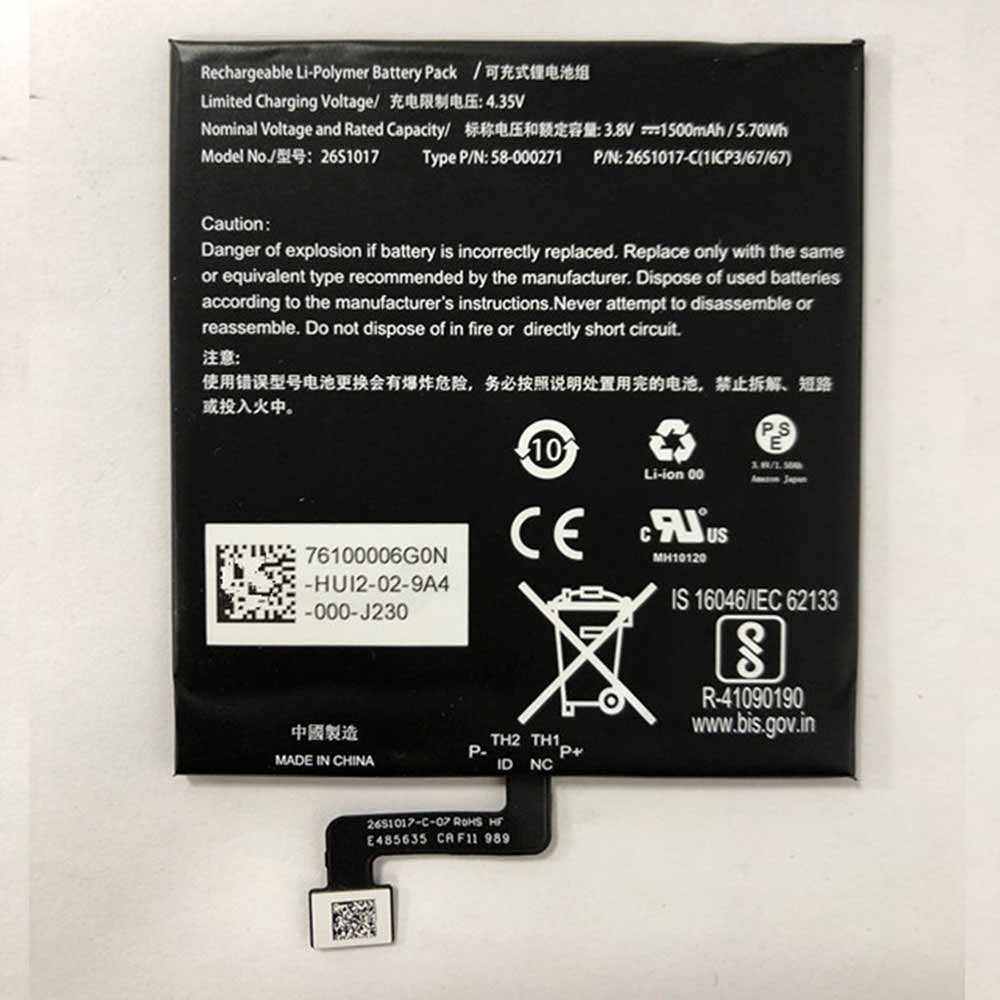 Product SpecificationsBrand: Tablet Battery for Amazon KindleBattery Type: Li-ionBattery Voltage: 3.8V 4.35VBattery Capacity: 1500mAh/5.7WHWarranty: 30 Days Money Back, 1 Year Warranty.Over 500-800 times of charge and discharge.Compatible Part Numbers:ST2226S101758-00027158-00019458-000246Compatible Models:Amazon Kindle PaperWhite4 2018Important Usage Tips and Safety PrecautionsFor safe and effective operation of the 1500mAh/5.7WH Amazon Kindle 58-000271 Tablet Battery for Amazon Kindle PaperWhite4 2018, please consider the following precautions:Do not expose the battery to water, moisture, or extreme heat.Do not disassemble, modify, or damage the battery, as this may cause safety risks.Avoid using damaged charging cables or incompatible adapters.If the Amazon Kindle 58-000271 battery becomes swollen, overheated, or shows unusual performance, stop using it immediately and seek professional assistance.Allow the Amazon Kindle 58-000271 battery to complete several normal charge and discharge cycles after installation to help achieve optimal performance. A Reliable Power Solution for Your Amazon Kindle PaperWhite4 2018.How to Properly Maintain Your Amazon Kindle 58-000271 Tablet BatteryTo maximize the lifespan and performance of your Amazon Kindle 58-000271 Tablet Battery, following proper maintenance habits is important:Avoid frequent full discharge: Try to recharge the battery before it completely runs out of power. Keeping the Amazon Kindle 58-000271 battery level between approximately 20% and 80% can help reduce battery stress.Use the correct charger: Always use a compatible charger with the correct voltage and specifications to ensure safe and efficient charging.Keep the battery temperature controlled: Excessive heat can affect Amazon Kindle 58-000271 battery performance and lifespan. Avoid using your equipment on soft surfaces that block ventilation, and keep the device away from high-temperature environments.Charge regularly during storage: If you do not use your equipment for an extended period, charge the battery to around 40%-60% and store it in a cool, dry place.Maintain clean connections: Keep the Amazon Kindle 58-000271 battery contacts and equipment interior free from dust to ensure stable power transmission.A Reliable Power Solution for Your Amazon Kindle PaperWhite4 2018The 1500mAh/5.7WH Amazon Kindle 58-000271 Tablet Battery for Amazon Kindle PaperWhite4 2018 combines dependable power, convenient installation, and long-term usability. With proper care and responsible usage, this replacement battery can help extend your laptop’s service life and provide a more stable mobile computing experience.Choose a quality replacement battery for Amazon Kindle 58-000271 to bring your Amazon Kindle PaperWhite4 2018 back to its full potential and enjoy reliable performance wherever you go.
-
1200mAh TL-5902 Replacement Battery for Tadiran 4391006ND 439-1006 TL-5101
The 1200mAh Tadiran TL-5902 Standard Battery is specially designed as a high-quality replacement battery for Tadiran 4391006ND 439-1006 TL-5101. With stable performance, long-lasting power capacity, and excellent compatibility, this Tadiran TL-5902 battery helps restore your equipment’s mobility and extends its daily working time. It is an ideal choice for users who need to replace an aging or damaged battery while keeping their Tadiran 4391006ND 439-1006 TL-5101 running efficiently.
1200mAh TL-5902 Replacement Battery for Tadiran 4391006ND 439-1006 TL-5101
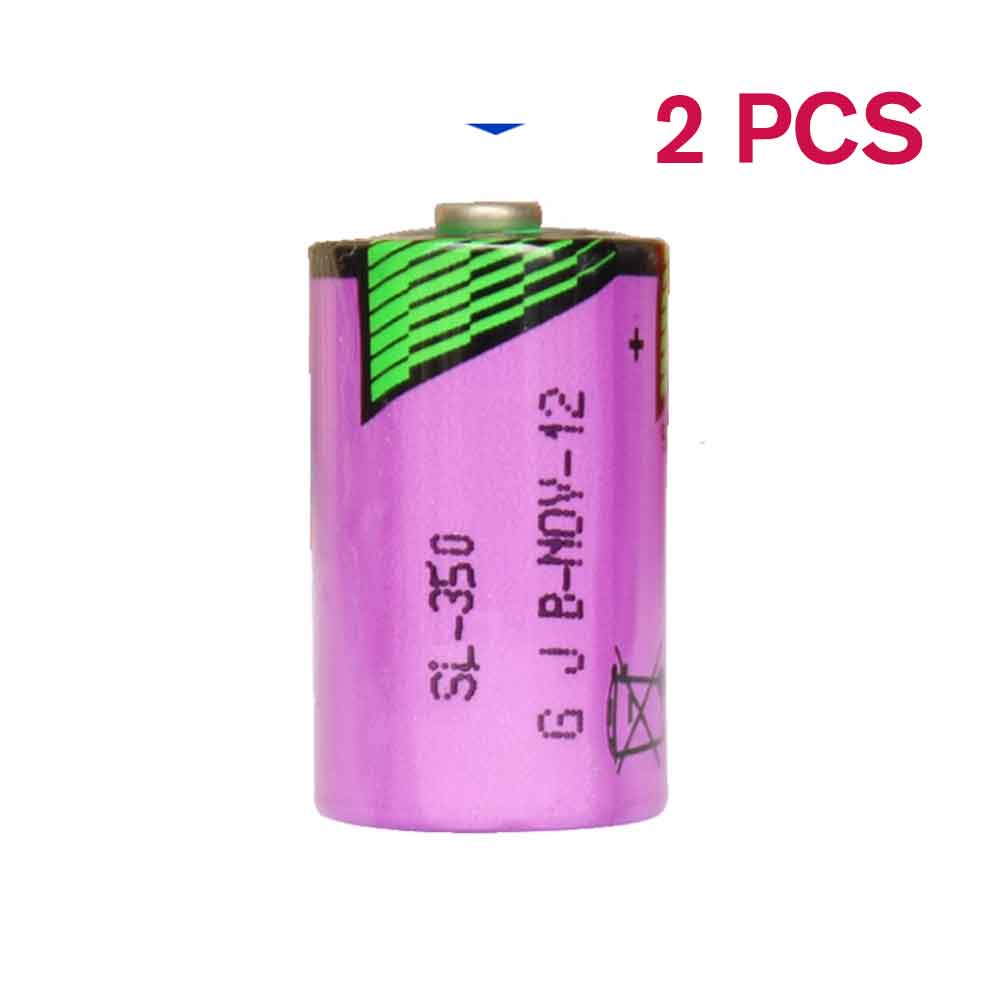 Product SpecificationsBrand: Standard Battery for TadiranBattery Type: LithiumBattery Voltage: 3.6VBattery Capacity: 1200mAhWarranty: 30 Days Money Back, 1 Year Warranty.Over 500-800 times of charge and discharge.Compatible Part Numbers:TL-5902Compatible Models:(14250, 1/2AA, TL5902T 439 1006 ND 4391006ND 439-1006 TL-5101, TL-5151, TL-2150, TL-4902)A 3.6 volt "1/2 AA" size lithium battery (non-rechargeable) used in many applications such as alarm/security systems, computer/memory backup, GPS, electonic equipment etc.Important Usage Tips and Safety PrecautionsFor safe and effective operation of the 1200mAh Tadiran TL-5902 Standard Battery for Tadiran 4391006ND 439-1006 TL-5101, please consider the following precautions:Do not expose the battery to water, moisture, or extreme heat.Do not disassemble, modify, or damage the battery, as this may cause safety risks.Avoid using damaged charging cables or incompatible adapters.If the Tadiran TL-5902 battery becomes swollen, overheated, or shows unusual performance, stop using it immediately and seek professional assistance.Allow the Tadiran TL-5902 battery to complete several normal charge and discharge cycles after installation to help achieve optimal performance. A Reliable Power Solution for Your Tadiran 4391006ND 439-1006 TL-5101.How to Properly Maintain Your Tadiran TL-5902 Standard BatteryTo maximize the lifespan and performance of your Tadiran TL-5902 Standard Battery, following proper maintenance habits is important:Avoid frequent full discharge: Try to recharge the battery before it completely runs out of power. Keeping the Tadiran TL-5902 battery level between approximately 20% and 80% can help reduce battery stress.Use the correct charger: Always use a compatible charger with the correct voltage and specifications to ensure safe and efficient charging.Keep the battery temperature controlled: Excessive heat can affect Tadiran TL-5902 battery performance and lifespan. Avoid using your equipment on soft surfaces that block ventilation, and keep the device away from high-temperature environments.Charge regularly during storage: If you do not use your equipment for an extended period, charge the battery to around 40%-60% and store it in a cool, dry place.Maintain clean connections: Keep the Tadiran TL-5902 battery contacts and equipment interior free from dust to ensure stable power transmission.A Reliable Power Solution for Your Tadiran 4391006ND 439-1006 TL-5101The 1200mAh Tadiran TL-5902 Standard Battery for Tadiran 4391006ND 439-1006 TL-5101 combines dependable power, convenient installation, and long-term usability. With proper care and responsible usage, this replacement battery can help extend your laptop’s service life and provide a more stable mobile computing experience.Choose a quality replacement battery for Tadiran TL-5902 to bring your Tadiran 4391006ND 439-1006 TL-5101 back to its full potential and enjoy reliable performance wherever you go.
-
1800mAh BP-511/511A Replacement Battery for Canon EOS 50D 30D 40D 5D G5
Our brand-new Camera Battery compatible with Canon BP-511/511A is engineered to deliver long-lasting and stable performance. It is designed to meet rigorous standards, ensuring full compatibility with devices such as the Canon EOS 50D 30D 40D 5D G5. This battery comes with a one-year warranty and has passed essential safety certifications including CE, RoHS, and ISO9001. Choose our Canon BP-511/511A battery for a power solution that combines quality, safety, and convenience. Invest in authentic performance and keep your Canon EOS 50D 30D 40D 5D G5 running like new.
1800mAh BP-511/511A Replacement Battery for Canon EOS 50D 30D 40D 5D G5
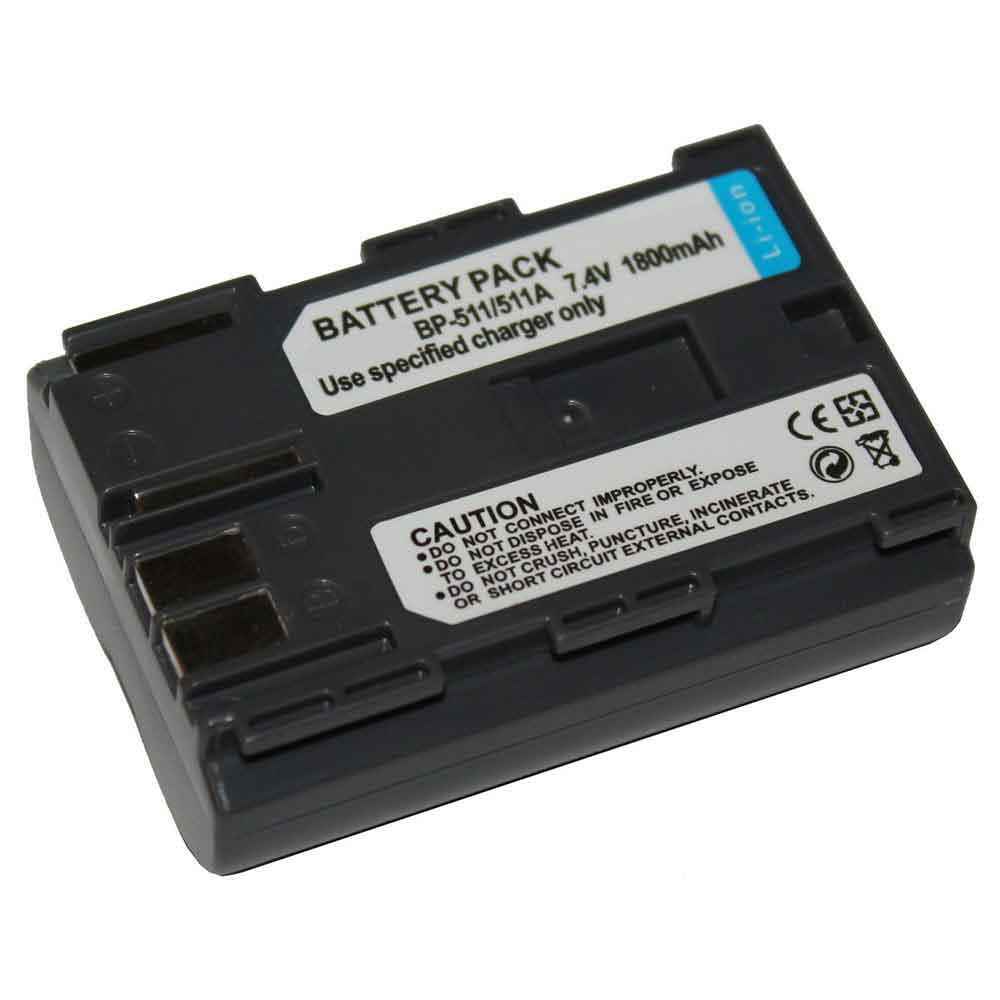 Product SpecificationsBrand: Canon Camera BatteryBattery Type: Li-ionBattery Voltage: 7.4VBattery Capacity: 1800mAhWarranty: 30 Days Money Back, 1 Year Warranty.Over 500-800 times of charge and discharge.Compatible Part Numbers:
Compatible Models:Canon EOS 50D 30D 40D 5D G5As a professional manufacturer, we offer a 100% brand new Li-ion battery for Canon BP-511/511A, built with genuine Grade A cells to ensure high quality and stable performance. Certified by CE, ROHS, and MSDS, this battery delivers excellent discharge characteristics and supports over 500–800 charge cycles.It is fully compatible with original Fujitsu equipment and features multiple built-in protections including over-charge, over-current, over-voltage, and short-circuit prevention. Designed with an advanced printed circuit board (PCB), it provides reliable and safe operation.Backed by a one-year warranty, 30-day money-back guarantee, and 100% secure shopping assurance, we provide premium performance at a competitive price.To ensure optimal performance and longevity of your Canon BP-511/511A Battery, please adhere to the following guidelines:1.Storage - Store the battery BP-511/511A in a clean, dry, and cool environment, away from heat sources and metal objects. During storage, the battery will gradually self-discharge. It is recommended to store it at approximately 40% state of charge.2.Charging and Discharging - Unlike older battery technologies, lithium-ion batteries do not require frequent full discharge cycles. Only perform a full discharge approximately every 30 charging cycles. Avoid charging the battery beyond its specified threshold voltage.3.Regular Use - Avoid leaving the battery BP-511/511A idle for extended periods. It is advisable to use the battery at least once every two to three weeks. If the battery has been unused for a long time, follow the initial break-in procedure as recommended for new batteries.4.Calibration - If the battery indicator shows 76% or less during use, fully charge it, then fully discharge it, and finally recharge it completely to calibrate the battery level accuracy.5.Usage on Fixed Power - Consider removing the battery from the laptop when using a fixed power source for extended periods to reduce unnecessary charging cycles.6.Short-Circuit Prevention - Do not short-circuit the battery, as this can cause serious damage and compromise safety.By following these practices, you can help maintain the performance and extend the life of your Canon BP-511/511A Battery.
Product SpecificationsBrand: Canon Camera BatteryBattery Type: Li-ionBattery Voltage: 7.4VBattery Capacity: 1800mAhWarranty: 30 Days Money Back, 1 Year Warranty.Over 500-800 times of charge and discharge.Compatible Part Numbers:
Compatible Models:Canon EOS 50D 30D 40D 5D G5As a professional manufacturer, we offer a 100% brand new Li-ion battery for Canon BP-511/511A, built with genuine Grade A cells to ensure high quality and stable performance. Certified by CE, ROHS, and MSDS, this battery delivers excellent discharge characteristics and supports over 500–800 charge cycles.It is fully compatible with original Fujitsu equipment and features multiple built-in protections including over-charge, over-current, over-voltage, and short-circuit prevention. Designed with an advanced printed circuit board (PCB), it provides reliable and safe operation.Backed by a one-year warranty, 30-day money-back guarantee, and 100% secure shopping assurance, we provide premium performance at a competitive price.To ensure optimal performance and longevity of your Canon BP-511/511A Battery, please adhere to the following guidelines:1.Storage - Store the battery BP-511/511A in a clean, dry, and cool environment, away from heat sources and metal objects. During storage, the battery will gradually self-discharge. It is recommended to store it at approximately 40% state of charge.2.Charging and Discharging - Unlike older battery technologies, lithium-ion batteries do not require frequent full discharge cycles. Only perform a full discharge approximately every 30 charging cycles. Avoid charging the battery beyond its specified threshold voltage.3.Regular Use - Avoid leaving the battery BP-511/511A idle for extended periods. It is advisable to use the battery at least once every two to three weeks. If the battery has been unused for a long time, follow the initial break-in procedure as recommended for new batteries.4.Calibration - If the battery indicator shows 76% or less during use, fully charge it, then fully discharge it, and finally recharge it completely to calibrate the battery level accuracy.5.Usage on Fixed Power - Consider removing the battery from the laptop when using a fixed power source for extended periods to reduce unnecessary charging cycles.6.Short-Circuit Prevention - Do not short-circuit the battery, as this can cause serious damage and compromise safety.By following these practices, you can help maintain the performance and extend the life of your Canon BP-511/511A Battery.
最新記事
(09/04)
(09/04)
(09/04)
(09/04)
(09/03)