
-
4500mAh/17.32WH HB555591ECW Replacement Battery for Huawei Mate 30 Pro
The 4500mAh/17.32WH Huawei HB555591ECW Smartphone Battery is specially designed as a high-quality replacement battery for Huawei Mate 30 Pro. With stable performance, long-lasting power capacity, and excellent compatibility, this Huawei HB555591ECW battery helps restore your equipment’s mobility and extends its daily working time. It is an ideal choice for users who need to replace an aging or damaged battery while keeping their Huawei Mate 30 Pro running efficiently.
4500mAh/17.32WH HB555591ECW Replacement Battery for Huawei Mate 30 Pro
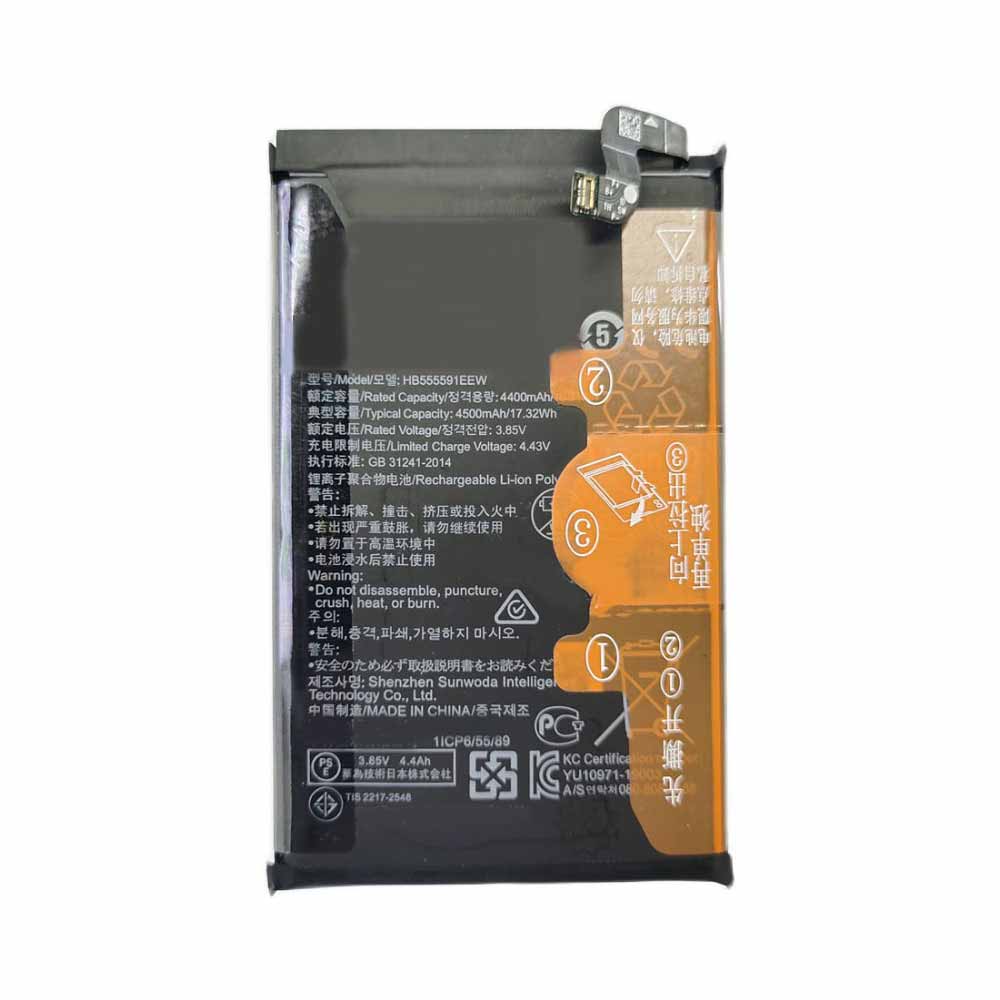 Product SpecificationsBrand: Smartphone Battery for HuaweiBattery Type: Li-ionBattery Voltage: 3.85V/4.43VBattery Capacity: 4500mAh/17.32WHWarranty: 30 Days Money Back, 1 Year Warranty.Over 500-800 times of charge and discharge.Compatible Part Numbers:HB555591ECWCompatible Models:Huawei Mate 30 ProImportant Usage Tips and Safety PrecautionsFor safe and effective operation of the 4500mAh/17.32WH Huawei HB555591ECW Smartphone Battery for Huawei Mate 30 Pro, please consider the following precautions:Do not expose the battery to water, moisture, or extreme heat.Do not disassemble, modify, or damage the battery, as this may cause safety risks.Avoid using damaged charging cables or incompatible adapters.If the Huawei HB555591ECW battery becomes swollen, overheated, or shows unusual performance, stop using it immediately and seek professional assistance.Allow the Huawei HB555591ECW battery to complete several normal charge and discharge cycles after installation to help achieve optimal performance. A Reliable Power Solution for Your Huawei Mate 30 Pro.How to Properly Maintain Your Huawei HB555591ECW Smartphone BatteryTo maximize the lifespan and performance of your Huawei HB555591ECW Smartphone Battery, following proper maintenance habits is important:Avoid frequent full discharge: Try to recharge the battery before it completely runs out of power. Keeping the Huawei HB555591ECW battery level between approximately 20% and 80% can help reduce battery stress.Use the correct charger: Always use a compatible charger with the correct voltage and specifications to ensure safe and efficient charging.Keep the battery temperature controlled: Excessive heat can affect Huawei HB555591ECW battery performance and lifespan. Avoid using your equipment on soft surfaces that block ventilation, and keep the device away from high-temperature environments.Charge regularly during storage: If you do not use your equipment for an extended period, charge the battery to around 40%-60% and store it in a cool, dry place.Maintain clean connections: Keep the Huawei HB555591ECW battery contacts and equipment interior free from dust to ensure stable power transmission.A Reliable Power Solution for Your Huawei Mate 30 ProThe 4500mAh/17.32WH Huawei HB555591ECW Smartphone Battery for Huawei Mate 30 Pro combines dependable power, convenient installation, and long-term usability. With proper care and responsible usage, this replacement battery can help extend your laptop’s service life and provide a more stable mobile computing experience.Choose a quality replacement battery for Huawei HB555591ECW to bring your Huawei Mate 30 Pro back to its full potential and enjoy reliable performance wherever you go.
PR
-
4900mAh/18.9WH BN59 Replacement Battery for Xiaomi Note 10
The 4900mAh/18.9WH Xiaomi BN59 Smartphone Battery is specially designed as a high-quality replacement battery for Xiaomi Note 10. With stable performance, long-lasting power capacity, and excellent compatibility, this Xiaomi BN59 battery helps restore your equipment’s mobility and extends its daily working time. It is an ideal choice for users who need to replace an aging or damaged battery while keeping their Xiaomi Note 10 running efficiently.
4900mAh/18.9WH BN59 Replacement Battery for Xiaomi Note 10
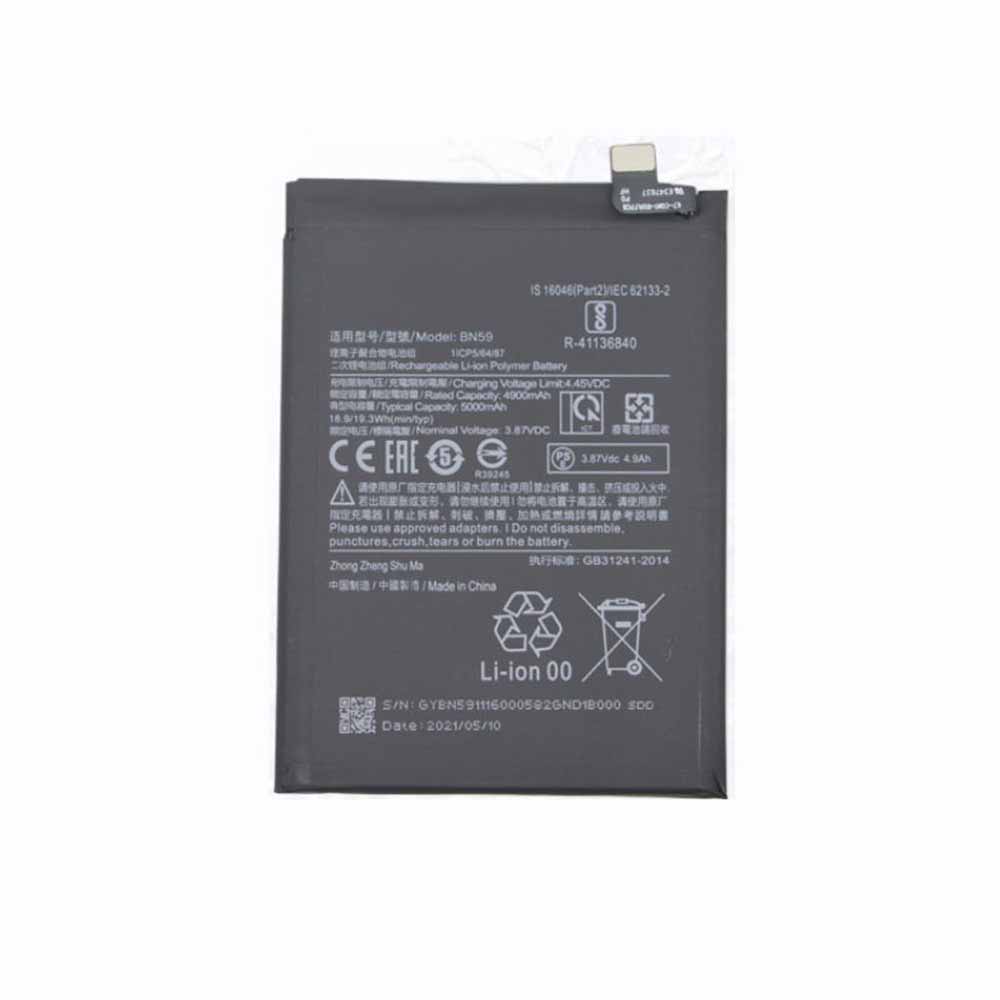 Product SpecificationsBrand: Smartphone Battery for XiaomiBattery Type: Li-ionBattery Voltage: 3.87V/4.45VBattery Capacity: 4900mAh/18.9WHWarranty: 30 Days Money Back, 1 Year Warranty.Over 500-800 times of charge and discharge.Compatible Part Numbers:BN59Compatible Models:Xiaomi Note 10Important Usage Tips and Safety PrecautionsFor safe and effective operation of the 4900mAh/18.9WH Xiaomi BN59 Smartphone Battery for Xiaomi Note 10, please consider the following precautions:Do not expose the battery to water, moisture, or extreme heat.Do not disassemble, modify, or damage the battery, as this may cause safety risks.Avoid using damaged charging cables or incompatible adapters.If the Xiaomi BN59 battery becomes swollen, overheated, or shows unusual performance, stop using it immediately and seek professional assistance.Allow the Xiaomi BN59 battery to complete several normal charge and discharge cycles after installation to help achieve optimal performance. A Reliable Power Solution for Your Xiaomi Note 10.How to Properly Maintain Your Xiaomi BN59 Smartphone BatteryTo maximize the lifespan and performance of your Xiaomi BN59 Smartphone Battery, following proper maintenance habits is important:Avoid frequent full discharge: Try to recharge the battery before it completely runs out of power. Keeping the Xiaomi BN59 battery level between approximately 20% and 80% can help reduce battery stress.Use the correct charger: Always use a compatible charger with the correct voltage and specifications to ensure safe and efficient charging.Keep the battery temperature controlled: Excessive heat can affect Xiaomi BN59 battery performance and lifespan. Avoid using your equipment on soft surfaces that block ventilation, and keep the device away from high-temperature environments.Charge regularly during storage: If you do not use your equipment for an extended period, charge the battery to around 40%-60% and store it in a cool, dry place.Maintain clean connections: Keep the Xiaomi BN59 battery contacts and equipment interior free from dust to ensure stable power transmission.A Reliable Power Solution for Your Xiaomi Note 10The 4900mAh/18.9WH Xiaomi BN59 Smartphone Battery for Xiaomi Note 10 combines dependable power, convenient installation, and long-term usability. With proper care and responsible usage, this replacement battery can help extend your laptop’s service life and provide a more stable mobile computing experience.Choose a quality replacement battery for Xiaomi BN59 to bring your Xiaomi Note 10 back to its full potential and enjoy reliable performance wherever you go.
-
2100mAh/7.98WH BL-72CT Replacement Battery for Koobee S9 M6 S500Q
The 2100mAh/7.98WH Koobee BL-72CT Smartphone Battery is specially designed as a high-quality replacement battery for Koobee S9 M6 S500Q. With stable performance, long-lasting power capacity, and excellent compatibility, this Koobee BL-72CT battery helps restore your equipment’s mobility and extends its daily working time. It is an ideal choice for users who need to replace an aging or damaged battery while keeping their Koobee S9 M6 S500Q running efficiently.
2100mAh/7.98WH BL-72CT Replacement Battery for Koobee S9 M6 S500Q
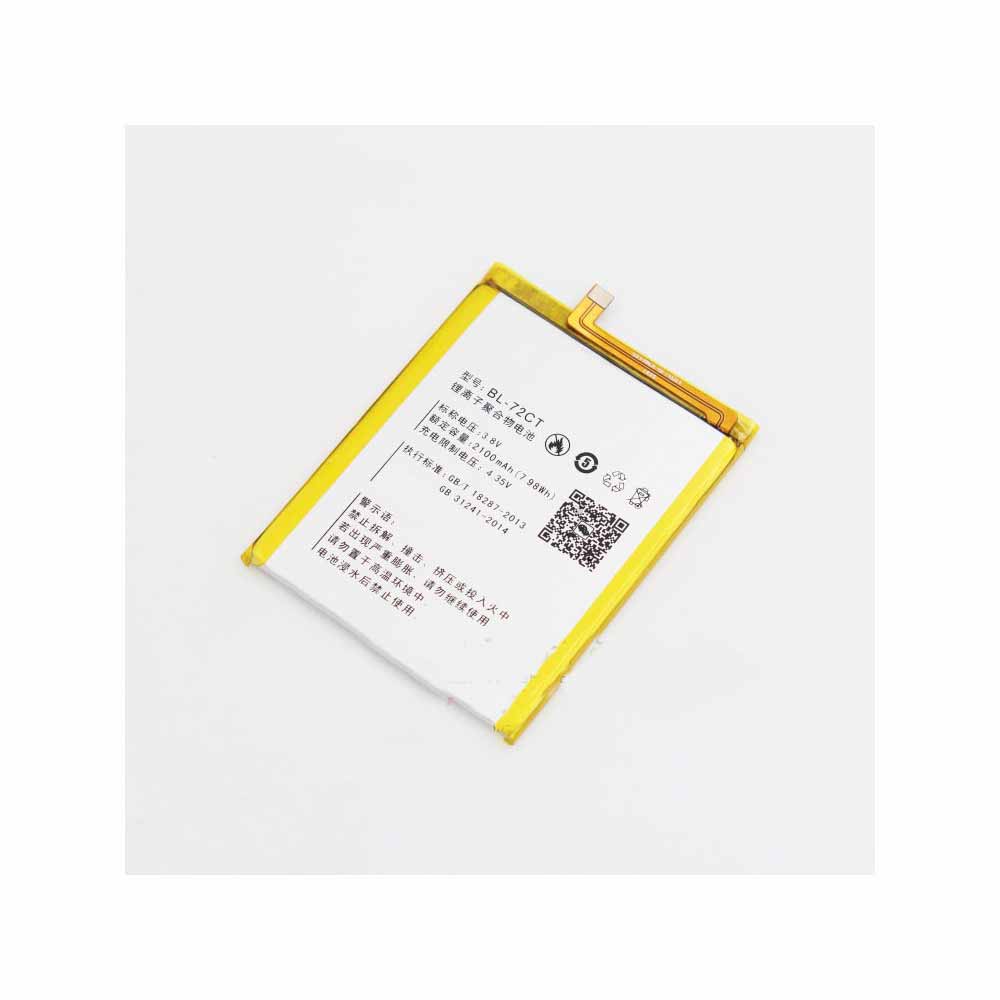 Product SpecificationsBrand: Smartphone Battery for KoobeeBattery Type: Li-ionBattery Voltage: 3.8V/4.35VBattery Capacity: 2100mAh/7.98WHWarranty: 30 Days Money Back, 1 Year Warranty.Over 500-800 times of charge and discharge.Compatible Part Numbers:BL-72CTCompatible Models:Koobee S9 M6 S500QImportant Usage Tips and Safety PrecautionsFor safe and effective operation of the 2100mAh/7.98WH Koobee BL-72CT Smartphone Battery for Koobee S9 M6 S500Q, please consider the following precautions:Do not expose the battery to water, moisture, or extreme heat.Do not disassemble, modify, or damage the battery, as this may cause safety risks.Avoid using damaged charging cables or incompatible adapters.If the Koobee BL-72CT battery becomes swollen, overheated, or shows unusual performance, stop using it immediately and seek professional assistance.Allow the Koobee BL-72CT battery to complete several normal charge and discharge cycles after installation to help achieve optimal performance. A Reliable Power Solution for Your Koobee S9 M6 S500Q.How to Properly Maintain Your Koobee BL-72CT Smartphone BatteryTo maximize the lifespan and performance of your Koobee BL-72CT Smartphone Battery, following proper maintenance habits is important:Avoid frequent full discharge: Try to recharge the battery before it completely runs out of power. Keeping the Koobee BL-72CT battery level between approximately 20% and 80% can help reduce battery stress.Use the correct charger: Always use a compatible charger with the correct voltage and specifications to ensure safe and efficient charging.Keep the battery temperature controlled: Excessive heat can affect Koobee BL-72CT battery performance and lifespan. Avoid using your equipment on soft surfaces that block ventilation, and keep the device away from high-temperature environments.Charge regularly during storage: If you do not use your equipment for an extended period, charge the battery to around 40%-60% and store it in a cool, dry place.Maintain clean connections: Keep the Koobee BL-72CT battery contacts and equipment interior free from dust to ensure stable power transmission.A Reliable Power Solution for Your Koobee S9 M6 S500QThe 2100mAh/7.98WH Koobee BL-72CT Smartphone Battery for Koobee S9 M6 S500Q combines dependable power, convenient installation, and long-term usability. With proper care and responsible usage, this replacement battery can help extend your laptop’s service life and provide a more stable mobile computing experience.Choose a quality replacement battery for Koobee BL-72CT to bring your Koobee S9 M6 S500Q back to its full potential and enjoy reliable performance wherever you go.
-
5600mAh L24I005A Replacement Battery for Mindray D5 D6 Defibrillators
The 5600mAh Mindray L24I005A Medical Battery is specially designed as a high-quality replacement battery for Mindray D5 D6 Defibrillators. With stable performance, long-lasting power capacity, and excellent compatibility, this Mindray L24I005A battery helps restore your equipment’s mobility and extends its daily working time. It is an ideal choice for users who need to replace an aging or damaged battery while keeping their Mindray D5 D6 Defibrillators running efficiently.
5600mAh L24I005A Replacement Battery for Mindray D5 D6 Defibrillators
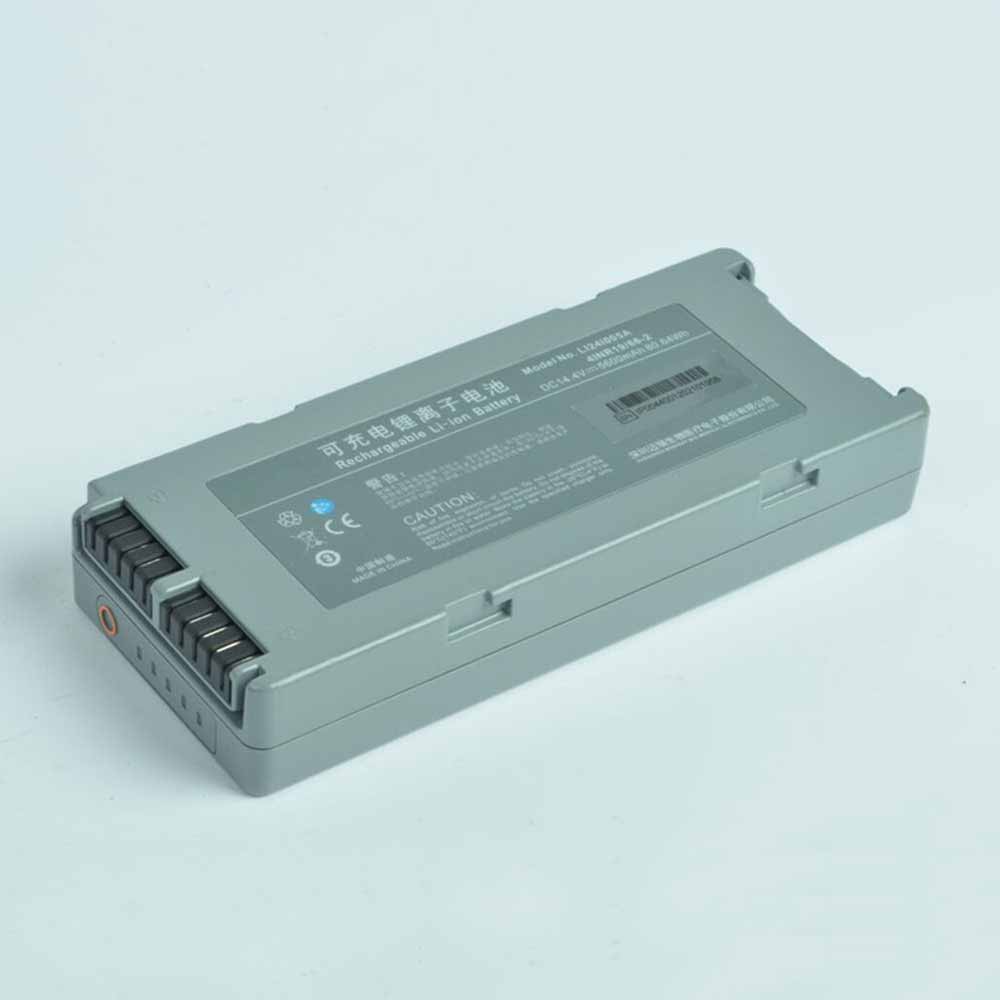 Product SpecificationsBrand: Medical Battery for MindrayBattery Type: Li-ionBattery Voltage: 14.4VBattery Capacity: 5600mAhWarranty: 30 Days Money Back, 1 Year Warranty.Over 500-800 times of charge and discharge.Compatible Part Numbers:L24I005ACompatible Models:Mindray D5 D6 DefibrillatorsImportant Usage Tips and Safety PrecautionsFor safe and effective operation of the 5600mAh Mindray L24I005A Medical Battery for Mindray D5 D6 Defibrillators, please consider the following precautions:Do not expose the battery to water, moisture, or extreme heat.Do not disassemble, modify, or damage the battery, as this may cause safety risks.Avoid using damaged charging cables or incompatible adapters.If the Mindray L24I005A battery becomes swollen, overheated, or shows unusual performance, stop using it immediately and seek professional assistance.Allow the Mindray L24I005A battery to complete several normal charge and discharge cycles after installation to help achieve optimal performance. A Reliable Power Solution for Your Mindray D5 D6 Defibrillators.How to Properly Maintain Your Mindray L24I005A Medical BatteryTo maximize the lifespan and performance of your Mindray L24I005A Medical Battery, following proper maintenance habits is important:Avoid frequent full discharge: Try to recharge the battery before it completely runs out of power. Keeping the Mindray L24I005A battery level between approximately 20% and 80% can help reduce battery stress.Use the correct charger: Always use a compatible charger with the correct voltage and specifications to ensure safe and efficient charging.Keep the battery temperature controlled: Excessive heat can affect Mindray L24I005A battery performance and lifespan. Avoid using your equipment on soft surfaces that block ventilation, and keep the device away from high-temperature environments.Charge regularly during storage: If you do not use your equipment for an extended period, charge the battery to around 40%-60% and store it in a cool, dry place.Maintain clean connections: Keep the Mindray L24I005A battery contacts and equipment interior free from dust to ensure stable power transmission.A Reliable Power Solution for Your Mindray D5 D6 DefibrillatorsThe 5600mAh Mindray L24I005A Medical Battery for Mindray D5 D6 Defibrillators combines dependable power, convenient installation, and long-term usability. With proper care and responsible usage, this replacement battery can help extend your laptop’s service life and provide a more stable mobile computing experience.Choose a quality replacement battery for Mindray L24I005A to bring your Mindray D5 D6 Defibrillators back to its full potential and enjoy reliable performance wherever you go.
-
500mAh LIP-4WM Replacement Battery for SONY LIP-4WM MZ-RH1 EH1 NH1 NH3D NH1 M200
The 500mAh Sony LIP-4WM MP3 Audio Player Battery is specially designed as a high-quality replacement battery for SONY LIP-4WM MZ-RH1 EH1 NH1 NH3D NH1 M200. With stable performance, long-lasting power capacity, and excellent compatibility, this Sony LIP-4WM battery helps restore your equipment’s mobility and extends its daily working time. It is an ideal choice for users who need to replace an aging or damaged battery while keeping their SONY LIP-4WM MZ-RH1 EH1 NH1 NH3D NH1 M200 running efficiently.
500mAh LIP-4WM Replacement Battery for SONY LIP-4WM MZ-RH1 EH1 NH1 NH3D NH1 M200
 Product SpecificationsBrand: MP3 Audio Player Battery for SonyBattery Type: Ni-MHBattery Voltage: 3.7VBattery Capacity: 500mAhWarranty: 30 Days Money Back, 1 Year Warranty.Over 500-800 times of charge and discharge.Compatible Part Numbers:LIP-4WMCompatible Models:for SONY LIP-4WM MZ-RH1 EH1 NH1 NH3D NH1 M200In bulk, MD not included. Only battery and charger.This is a set of charger and battery. Battery 500 mAh. Charger can be charged via USB.Long playback time.Important Usage Tips and Safety PrecautionsFor safe and effective operation of the 500mAh Sony LIP-4WM MP3 Audio Player Battery for SONY LIP-4WM MZ-RH1 EH1 NH1 NH3D NH1 M200, please consider the following precautions:Do not expose the battery to water, moisture, or extreme heat.Do not disassemble, modify, or damage the battery, as this may cause safety risks.Avoid using damaged charging cables or incompatible adapters.If the Sony LIP-4WM battery becomes swollen, overheated, or shows unusual performance, stop using it immediately and seek professional assistance.Allow the Sony LIP-4WM battery to complete several normal charge and discharge cycles after installation to help achieve optimal performance. A Reliable Power Solution for Your SONY LIP-4WM MZ-RH1 EH1 NH1 NH3D NH1 M200.How to Properly Maintain Your Sony LIP-4WM MP3 Audio Player BatteryTo maximize the lifespan and performance of your Sony LIP-4WM MP3 Audio Player Battery, following proper maintenance habits is important:Avoid frequent full discharge: Try to recharge the battery before it completely runs out of power. Keeping the Sony LIP-4WM battery level between approximately 20% and 80% can help reduce battery stress.Use the correct charger: Always use a compatible charger with the correct voltage and specifications to ensure safe and efficient charging.Keep the battery temperature controlled: Excessive heat can affect Sony LIP-4WM battery performance and lifespan. Avoid using your equipment on soft surfaces that block ventilation, and keep the device away from high-temperature environments.Charge regularly during storage: If you do not use your equipment for an extended period, charge the battery to around 40%-60% and store it in a cool, dry place.Maintain clean connections: Keep the Sony LIP-4WM battery contacts and equipment interior free from dust to ensure stable power transmission.A Reliable Power Solution for Your SONY LIP-4WM MZ-RH1 EH1 NH1 NH3D NH1 M200The 500mAh Sony LIP-4WM MP3 Audio Player Battery for SONY LIP-4WM MZ-RH1 EH1 NH1 NH3D NH1 M200 combines dependable power, convenient installation, and long-term usability. With proper care and responsible usage, this replacement battery can help extend your laptop’s service life and provide a more stable mobile computing experience.Choose a quality replacement battery for Sony LIP-4WM to bring your SONY LIP-4WM MZ-RH1 EH1 NH1 NH3D NH1 M200 back to its full potential and enjoy reliable performance wherever you go.
最新記事
(09/04)
(09/04)
(09/04)
(09/04)
(09/03)